Amazon Ads in 2026: What Changed for Established Brands
Read more
.png)
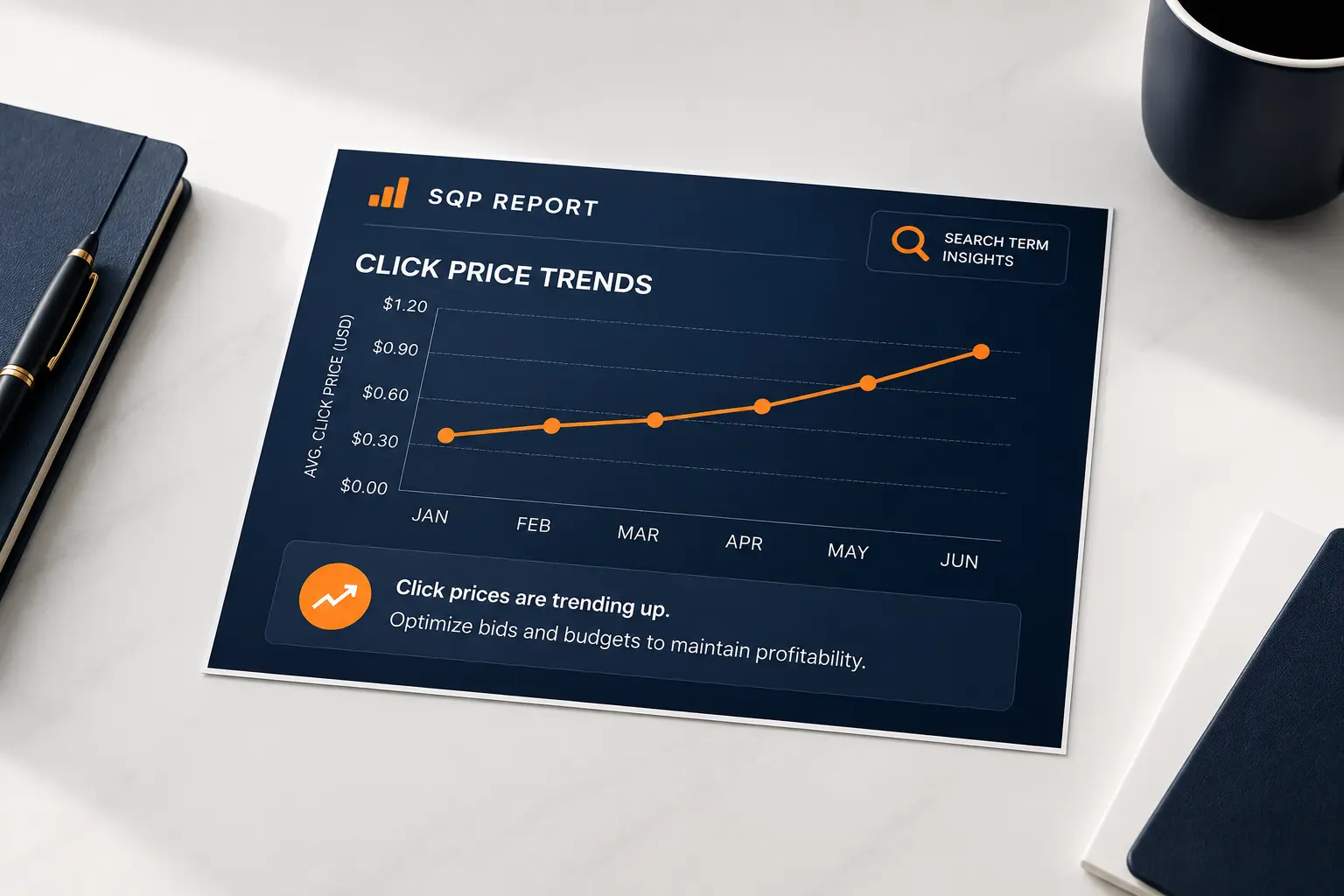
SQP price columns show the median price shoppers click and buy per query; tracking the trend reveals competitive price pressure and guides pricing and bids.
Summarize in ChatGPT
Most sellers open the Amazon Search Query Performance (SQP) report, look at impressions and clicks, and skip past the price columns entirely. That is a mistake, because those columns hold some of the most useful competitive intelligence Amazon gives you for free.
They show the price point at which shoppers actually click and buy for each search term, across every seller competing on it, and watching how those numbers move over time tells you when a keyword is turning into a price war, when you have priced yourself out of the click, and when the market has room for a higher-margin position.
Read alongside your bids, the price trend explains a lot of what your ACoS cannot.
This guide is a focused read on one part of the report: the price data and how to use its trend.
It assumes you already know the report's layout; if you do not, start with our guide on how to read the Amazon Search Query Performance report, then come back for the price-specific detail here.
Accuracy matters here, because the price columns are easy to misread as your own numbers when they are something more useful.
The price figures in SQP are medians across all products that received the action for that query, not your product's price. The median click price is the middle price among all products shoppers clicked for the search term, and the median purchase price is the middle price among all products they bought.
In other words, they describe the market's behavior on that keyword, the price point at which the whole field of competitors is winning clicks and sales.
That is what makes them valuable: you already know your own price, but SQP tells you the price the rest of the market is transacting at, which you could not otherwise see.
Amazon's Brand Analytics and Search Query Performance is where these figures live, available once you have enrolled in Brand Registry.
Amazon reports these as medians rather than averages, which is the right choice for a noisy field. A single luxury outlier or a clearance dump would drag an average around and tell you nothing, while the median holds steady at the price point where the bulk of real demand sits.
Treat the median click price as the honest center of gravity for a keyword: the price a typical shopper is comfortable clicking.
When you compare your own price to that number, you are asking a precise question, is my product priced inside the range shoppers actually consider for this search, or outside it?
This is a different and more reliable read than guessing at competitor prices by hand. Manually checking a few rival listings gives you a handful of anchor points that may not represent where demand actually sits, and it goes stale the moment a competitor reprices.
The SQP median is drawn from real shopper behavior across the whole field, so it captures the effective market price rather than the sticker price of whichever listings you happened to open.
For a keyword that matters to your business, that distinction is the difference between pricing on a hunch and pricing on evidence.
A single month's price median is a data point. The value comes from watching it move, and most sellers never pull enough history to see the line.
When the median click price for one of your core keywords drifts down month over month, the market is getting cheaper on that term. New competitors may be entering at lower prices, incumbents may be discounting, or a promotion cycle may be pulling the field down.
Whatever the cause, a sustained decline is a warning: the price shoppers expect to click is dropping, and a product priced for last quarter's market will slowly lose share of the click.
Catching that early, from the trend, lets you decide deliberately whether to follow the price down, hold and defend on other value, or reposition, rather than discovering the shift months later in falling sales.
The way that lost click share then shows up across the funnel is covered in our guide on the search query metrics that matter most.
A rising median click price is the opposite signal and an easy one to miss. If shoppers are clicking and buying at higher prices for a keyword than they were, the market can bear more, and a brand still priced at the old level may be leaving margin on the table or even reading as suspiciously cheap.
A steadily rising purchase price median in particular suggests real willingness to pay, and it is often a cue to test a higher price or a premium bundle rather than reflexively competing on being the cheapest.
Growth is not only about winning more clicks; sometimes it is about capturing more margin from the clicks you already win, which is often the faster and more durable path to real profit.
The most direct use of the price data is comparing your own price to the market median, and the answer changes how you should spend on ads.
If your price sits well above the median click price for a keyword and your click share is weak, the diagnosis is usually simple: shoppers are filtering you out before they engage, and no amount of bidding will fix a price they will not click.
This is one of the most expensive misreads in Amazon PPC, pouring budget into a keyword where you are priced out of consideration, because the impressions cost money and the clicks never come.
Before raising a bid on an underperforming term, check your price against the median click price.
If you are far above it without a clear premium justification, the fix is in your pricing or your value proposition, not your campaign, and a Sponsored Products budget spent against that gap is largely wasted.
If your price sits at or below the median and you still convert poorly, price is not your problem, so stop discounting to chase a conversion issue that lives elsewhere.
Now the likely culprits are the listing, the images, the reviews, or a mismatch between the query and your product. Discounting further in that situation just gives away margin without fixing the real leak, and the drop-off often shows up specifically between cart-add and purchase, which our guide on the cart-add to purchase drop-off in SQP breaks down.
Reading the price column first keeps you from solving the wrong problem. It also matters for rank: Amazon's own guidance on search rankings points to price and conversion among the factors that help offers surface, so a conversion problem you misdiagnose as price can quietly cost you organic position too.
The two price medians tell different stories, and the gap between them is where the insight lives.
Median click price reflects what shoppers are willing to consider; median purchase price reflects what they actually pay.
When the purchase price median sits meaningfully below the click price median for a query, shoppers are browsing higher-priced options but converting on cheaper ones, a sign the keyword attracts aspirational interest that settles down at checkout.
When the two sit close together, the market is decisive and price-consistent. Reading the spread tells you whether a keyword rewards a premium listing that wins consideration or a sharp price that wins the final decision, and it stops you from pricing for the click when the sale happens somewhere else.
Your fee structure sets the floor under all of this, so weigh any price move against your FBA and referral fees before you follow the market down.
If your goal is the purchase, anchor to the purchase price median, not the click price median, because winning the click at a price shoppers abandon at checkout just buys expensive traffic that never converts.
If your goal is visibility and consideration for a hero product, the click price median matters more.
Deciding which number to anchor to is a strategy choice, and it should follow the role that product plays in your catalog rather than a blanket rule applied to every listing the same way regardless of whether it is a hero, a defender, or a launch.
Price and PPC are not separate systems, and the SQP price trend feeds directly into how you should bid.
Your maximum profitable bid is a function of your price, your margin, and your conversion rate.
When the market click price falls and you follow it down to stay competitive, your margin per sale shrinks, which lowers the bid you can afford on that keyword even though the keyword itself has not changed.
Sellers who reprice without revisiting their bids quietly go underwater, paying yesterday's cost per click on today's thinner margin. When you see a price trend move in SQP, treat it as a trigger to recheck your break-even bid on that term, not just your price tag.
Keeping those two in sync is exactly the kind of ongoing discipline a structured Amazon PPC management practice is built to hold.
The reverse holds when the market moves up.
A rising click and purchase price on a keyword can widen your margin per sale, which raises the bid you can profitably place and lets you compete harder for a term you were priced conservatively on.
Many sellers only ever revise bids downward in response to rising costs and never upward in response to improving economics, which leaves winnable clicks on the table.
The habit worth building is simple: whenever a price median on a core keyword moves in either direction, re-derive the break-even bid before you touch anything else, so your spending always reflects the current math rather than the math from whenever you last set the campaign.
A rising click price across a set of related keywords often signals that competitors are pulling back or that demand is outrunning supply, both of which can mean a cheaper, more winnable auction.
A falling price trend paired with rising competition usually signals the opposite, a keyword getting more expensive to win on thinner margins.
Layering the SQP price trend over your own bid and share data gives you an early read on which keywords are becoming more or less attractive, the kind of competitive picture a formal Amazon PPC competitor analysis is designed to sharpen.
It also connects to defending your own branded terms, which we cover in our guide on branded traffic and cannibalization in SQP.
The price columns reward patient, structured reading, and that is exactly what a busy operator rarely has time for: pulling months of history, comparing your price to the market on every core term, and connecting the trend to both pricing and bids.
Done well, it surfaces keywords where you are quietly priced out, terms with room for more margin, and campaigns spending against a price gap no bid can close.
That is a specific, findable set of opportunities, and it rarely surfaces until someone lines the price trend up against the bid data and the funnel in one view.
As a specialist Amazon PPC agency, Amplivus reads SQP price and bid data together, not in isolation.
A free Amazon PPC audit checks where price trends are costing you clicks or margin, and a short Amazon strategy session maps the pricing and bidding moves worth making first.

Get a free Amazon PPC audit to find keywords where price pressure is hurting clicks, margins, and profitable bid decisions across Amazon.
Talk with an Amazon PPC expert to spot price pressure early, protect margins, and keep every keyword bid aligned with current market demand.