SQP Report vs Search Term Report: When To Use Each (2026)
Read more
.png)
Cart-add-to-purchase drop-off in Amazon SQP means shoppers add your product but never complete checkout. The cause is usually price, stock, reviews, Featured Offer loss, or page issues.
Summarize in ChatGPT

A diagnostic guide for Amazon sellers and PPC managers using Search Query Performance to find why cart adds are not turning into purchases.
A high cart-add column with a sinking purchase column is the most misread signal in Amazon Brand Analytics. It looks like a near-win. It usually means money is leaking at the last step, and most sellers fix the wrong thing first.
This guide is for brand owners, PPC managers, and agency analysts who already live inside the Search Query Performance report and want a repeatable way to find the single cause of the gap.
Here is the warning that saves the most money: do not touch price first. Price is the easiest lever to pull and the most common overcorrection, when half the time the real problem is a lost Featured Offer (Buy Box) or a stock issue a price cut will never fix.
We will define the rate, name the five causes, and walk an ordered diagnosis you can run this afternoon.
Cart-add-to-purchase drop-off is the share of shoppers who add your product to cart on a given search query but do not complete the purchase.
In the Search Query Performance report, you read it by comparing your cart-add share to your purchase share for the same query. The working formula is simple: cart-add-to-purchase rate = purchase share divided by cart-add share, at the query level.
When purchase share sits well below cart-add share, you have a drop-off. When the two move together, your funnel is healthy and the issue is upstream in clicks or impressions.
Search Query Performance tracks the full funnel for your most relevant keywords, broken out by search term, and our guide on how to read your SQP report covers the scan in depth.
Think of it as a conversion funnel sliced by query, where each stage hands off to the next and a drop-off tells you where the handoff breaks.
Impressions to clicks is a relevance and main-image problem.
Clicks to cart-adds is a detail-page interest problem. Cart-adds to purchases, the stage this guide covers, is almost always a price, availability, or trust problem at the final decision.
What counts as a healthy purchase rate depends entirely on category. Across Amazon, listing conversion (unit session percentage) tends to run far higher than open-web retail, often 10 to 15 percent, with consumables higher and considered electronics lower.
Use your own category as the benchmark, not a single internet average.
The wider e-commerce world reports cart abandonment near 70 percent, but that comes from multi-step open-web checkouts, not Amazon's one-click flow, which strips out the friction behind it: no surprise shipping reveal, no forced account creation, no slow payment form.
Pasting that 70 percent figure into an Amazon diagnosis is a category error.
The point of the report is share, not raw count: share tells you whether you are winning or losing the query, so a count can fall while your share rises, meaning the query softened and you held your ground.
Almost every cart-add-to-purchase gap traces back to one of five causes: price, Featured Offer (Buy Box) loss, out of stock, weak social proof, or a detail page that does not close. Find which one, and you stop guessing.
On Amazon, "add to cart" is not always a buying decision. Many shoppers use the cart as a shortlist, then compare, and the moment they add your item, Amazon surrounds them with carousels of alternatives.
That built-in comparison step is why the platform behaves differently from a standalone store. Here are the five causes, in the order they usually bite.
Notice that two of the five (Featured Offer and stock) have nothing to do with your listing copy. That is exactly why "improve your listing" is such weak advice. It treats a structural problem as a creative one.
There is also a sixth, quieter factor: intent itself. A broad term like "running shoes" collects shoppers still deciding on style and budget, so it will always show a softer cart-to-purchase rate than a precise term like "men's trail running shoes size 11 black."
When you see a low rate on a broad head term, check the query language before you assume something is broken. The gap may be the natural cost of ranking for a comparison-stage keyword.
Read direction and share, not raw counts, and respect two attribution rules that trip up almost everyone. The Search Query Performance report is honest, but it is not literal.
First, the cart-add attribution rule. Amazon only counts a cart add against the query when the shopper adds the exact product they clicked, so on a parent listing with several variations, a click on one child and an add of another will not show for that keyword.
Cart-add data is cleanest on single-ASIN listings or parents with two or three children.
Second, the attribution window. SQP attributes a purchase within a short, roughly same-day window, so a shopper who adds today and buys in three days may never appear as a purchase on that query.
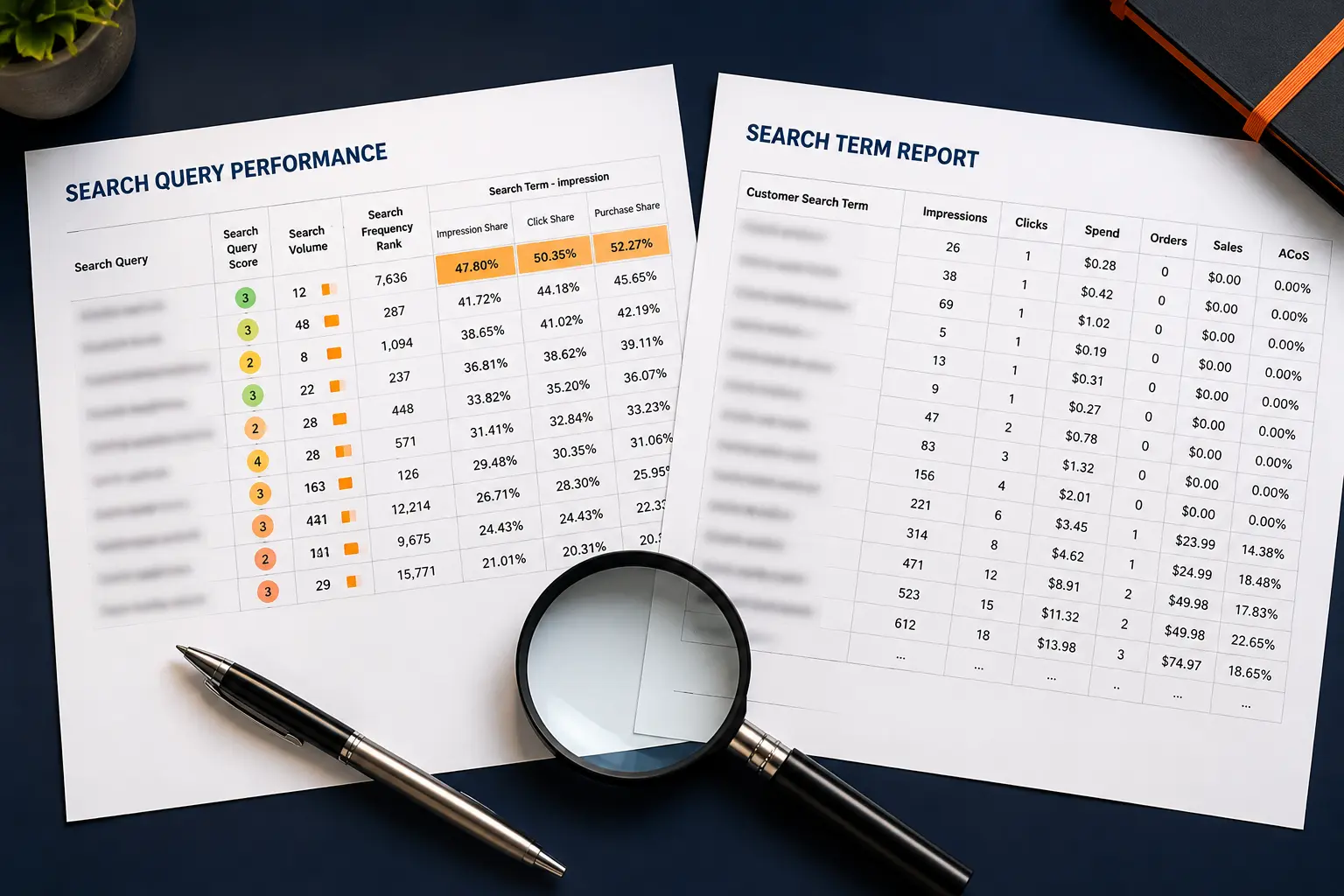
This is why your SQP purchases always look lower than your real sales, and why the SQP report and your Search Term report never reconcile.
Read share and trend, not absolute numbers.
Then there is volume. A query with eleven clicks and one purchase is not a conversion crisis. It is thin data. Low-volume queries swing wildly week to week, so group small queries or widen the date range first.
When I audit an account, I sort by cart adds, then scan for the queries where purchase share falls furthest below cart-add share at real volume.
That short list, usually five to fifteen queries, is where the money is.
A habit that pays off: export the report to a spreadsheet, add a column for purchase share divided by cart-add share, and sort the whole catalog by that ratio so the worst offenders rise to the top in seconds.
Pull at least four weeks so the trend is real, then compare to the same period last quarter to separate a true leak from a seasonal swing.
Work the five causes in a fixed order, cheapest and most structural first, so you never cut price to solve a problem price cannot fix. This is the decision tree.
Stop at the first cause that explains the gap. If you lost the Featured Offer, you are done, so do not keep tuning images on a listing that is not even serving your buy button. Run this tree per query for your top five to fifteen leaking terms, and patterns appear fast.
If the Featured Offer is lost across many queries, you have an account-level pricing or seller-health issue, not fifteen separate problems.
Map the fix to the cause, not to a generic checklist. Each of the five causes has a direct, specific remedy.
After any fix, give the data a clean week, then re-pull the query in SQP and read the trend in purchase share, since one day proves nothing under the attribution window.
Protect a recovered query with a small, defended Sponsored Products bid, set in the Amazon Ads console with a Rule-Based Bidding target, so you do not lose the ground you just won.
Sequence the fixes by speed of impact. A Featured Offer recovery or price match shows up within days, a review build through Amazon Vine takes weeks, and an A+ Content rework needs a fresh run of traffic first.
Change three things at once and you will never know which one worked, so stage them and read the report between each move.
The most common error is cutting price before checking the Featured Offer, which spends margin on a problem price cannot touch. It happens because price is the one lever a seller fully controls, so it feels like action. Three more mistakes show up in nearly every account.
A quieter mistake is fixing the listing copy when the carousel is the real opponent. Your rivals appear next to your product the instant a shopper adds to cart, so if they win on reviews or price, no amount of copy polish closes the gap.
The last trap is impatience. Sellers pull the report a day after a change, see no movement, and revert. Because the attribution window is short and the data settles over several days, a one-day read is almost always misleading.
Give every change a full clean week, and never reverse two changes in the same window or you lose the ability to attribute either result.
The fastest signal is comparing your cart-add share to your click share, not just to purchase share.
When cart-add share holds strong but purchase share collapses, the problem is almost always structural (Featured Offer or stock), because the page clearly sold the shopper well enough to add.
Pair SQP with Amazon Marketing Stream for near real-time signals when a query drops suddenly, so you catch a Featured Offer loss in hours, and use Amazon Marketing Cloud (AMC) for the longer journey SQP's short window hides.
Watch Search Catalog Performance alongside SQP, since the catalog view shows demand your listings are not yet capturing, which our guide on finding hidden profit in Brand Analytics explores in full.
Calibrate every benchmark to your own category and price band, since a 6 percent purchase rate can be excellent on considered electronics and poor on a cheap consumable, a point our breakdown of the SQP metrics that matter reinforces.
Cross-check SQP against your advertising data.
When a query shows healthy cart adds but your Sponsored Products campaign reports a high cost per order on the same term, both are telling one story: traffic is qualified, conversion is leaking, and ad spend is paying for adds that never close.
Fixing the structural cause usually drops your advertising cost of sale (ACoS) without touching a bid. Finally, keep a simple log of the query, cause, fix, date, and share before and after.
Within a quarter you have a private benchmark library, built from your own catalog, that beats any generic industry average.
The cart-add-to-purchase gap is one of the few Amazon problems you can diagnose precisely, because Search Query Performance hands you the funnel query by query.
Read share over counts, respect the attribution window, and walk the five causes in order. Most sellers do not have a leak across the catalog.
They have five to fifteen queries quietly losing the Featured Offer or the price comparison.
If you want a second set of eyes on those exact queries, Amplivus runs SQP-based conversion audits that isolate the cause and map the fix before a dollar of margin gets spent.
Start with a free PPC audit, or book a strategy session to walk your top leaking terms together.

Discover whether price, Featured Offer loss, reviews, stock, or your detail page is hurting conversions with a data-led audit.
We identify the exact query, listing, or Featured Offer issue causing drop-offs before margin gets wasted.