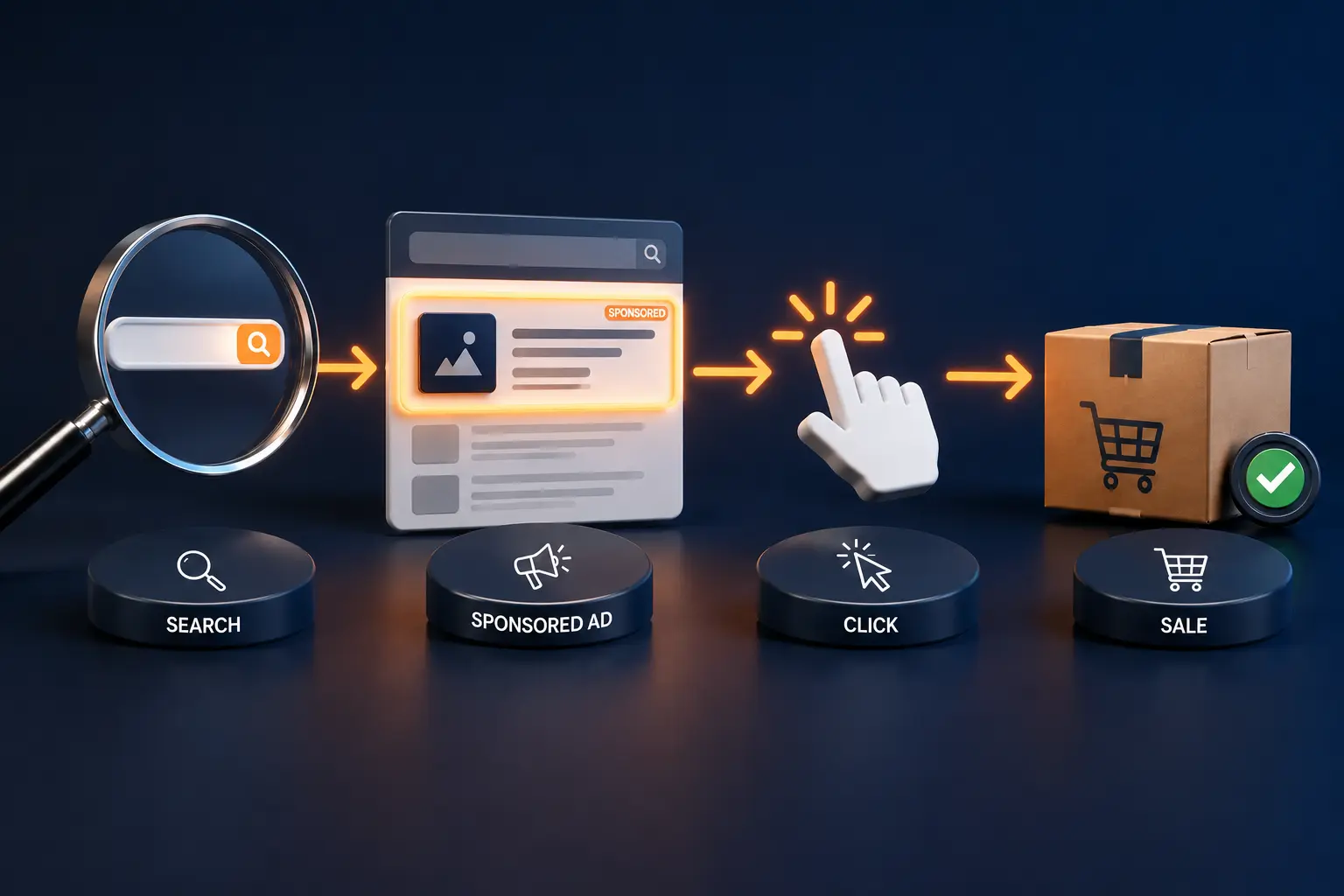
What Is Amazon PPC and How Does It Work
Read more
.png)
Amazon PPC lets you pay only when shoppers click. Start with one automatic Sponsored Products campaign, track ACoS, add negatives, and aim for profit in 60-90 days.
Summarize in ChatGPT

A beginner's action guide to launching a first Amazon Sponsored Products campaign without burning your budget.
You listed your product. The photos look good. The price is fair. And almost nothing is happening.
That silence is the moment most new sellers discover Amazon PPC. Not because they wanted to run ads, but because the search results are already full of people who do.
Here is the honest version of what comes next. Done carelessly, Amazon ads burn cash fast. Done with a plan, they buy you the one thing a new listing cannot get on its own: visibility while your organic rank is still catching up.
This guide walks through the whole thing in plain language, with real numbers you can plan around.
The Amplivus team has set up and rescued enough beginner accounts to know where the money leaks, so this guide spends as much time on protecting your budget as on spending it.
If you want the pure conceptual primer first, our explainer on what Amazon PPC is and how it works covers the mechanics; this one is the hands-on setup.
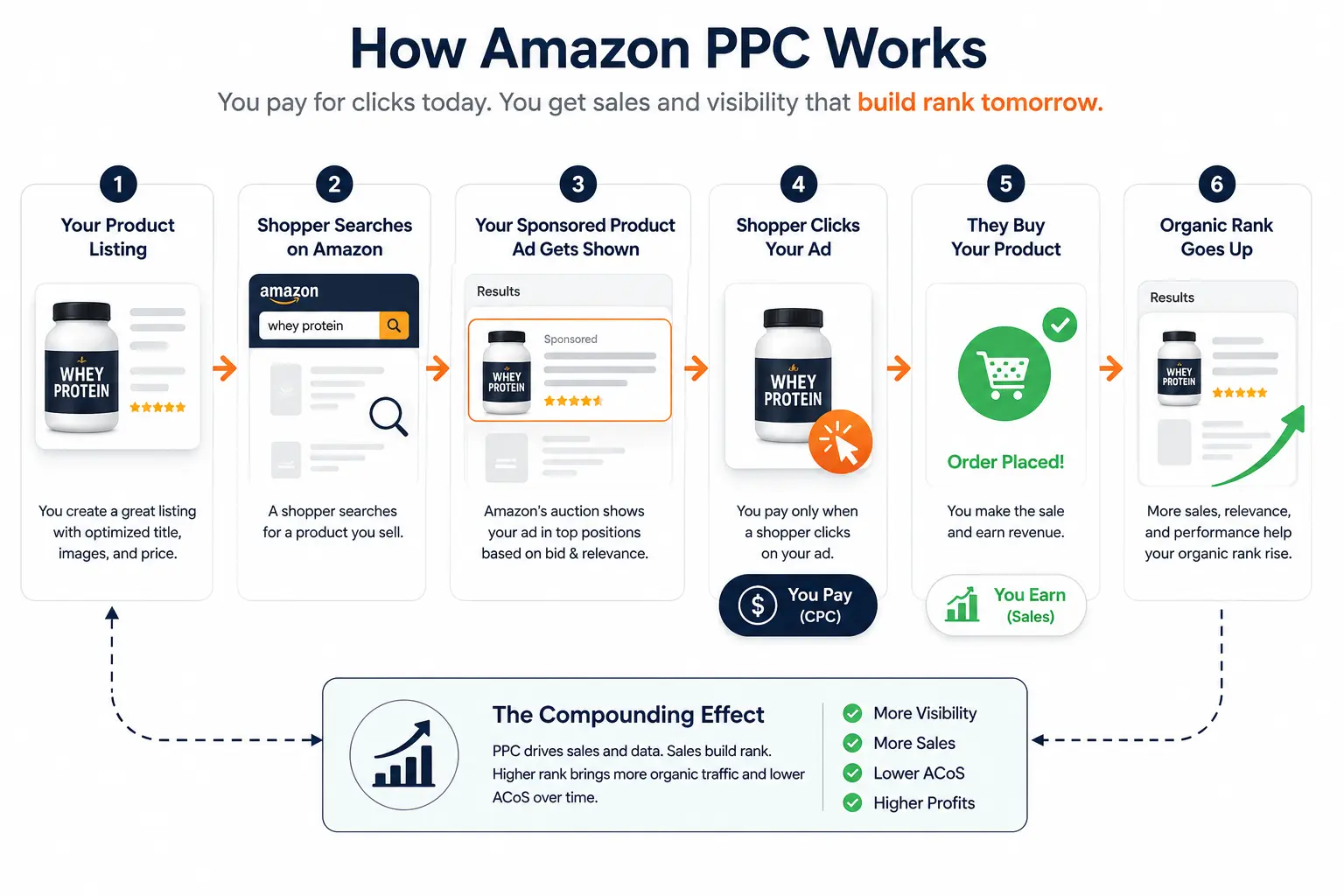
Amazon PPC stands for pay-per-click. You only pay when a shopper clicks your ad, not when they see it.
It runs as an auction. You set a maximum bid for a keyword, Amazon compares your bid and your relevance against other sellers, and the winners show up in ad slots.
This is the same core idea behind pay-per-click advertising everywhere, tuned for a store where people arrive ready to buy.
That last part matters: on Amazon, the shopper already has their wallet out, so a click here is worth more than a click on most other platforms.
The whole system lives in two places: Seller Central and the Amazon Ads Console at advertising.amazon.com. You can run everything you need as a beginner from either one.
Why does this decide who gets seen? Because the top rows of almost every Amazon search result are ads. A brand-new listing with no sales history rarely ranks on page one by itself.
Ads are how you buy your way onto that page while you earn the sales that lift your organic rank.
Amazon Ads contains three formats. As a beginner, you really only need one of them on day one.
Sponsored Products promote a single product and appear inside search results and on competitor listings. Every seller starts here. You do not need Brand Registry, and you can launch in minutes.
This is your foundation, and the one we build Sponsored Products management around for clients.
Sponsored Brands are the banner ads at the very top of search with your logo, a few products, or a short video.
They build brand awareness and send shoppers to your Store, and they need Brand Registry.
Sponsored Display follows shoppers across Amazon and onto other sites and apps, mostly for retargeting. Also Brand Registry only.
Here is the beginner shortcut.
Start with Sponsored Products and ignore the other two until you have steady, profitable data. Sponsored Brands and Sponsored Display are powerful later, but a distraction now.
Our full Amazon Sponsored Ads explainer breaks down all three when you are ready.
Inside Sponsored Products you choose a targeting type. This is the fork that confuses most beginners, so here is the clean answer.
Automatic targeting lets Amazon decide which search terms to match you against, based on your listing. It is fast, needs no keyword research, and doubles as free research, since Amazon shows you the exact terms shoppers used to find you.
Manual targeting puts you in control: you pick the keywords or competitor products to target and set a custom bid for each.
So which first? Run both, in this order. Launch an automatic campaign first to harvest real search terms from live shoppers.
After a week or two, pull the winning terms out of the auto campaign and move them into a manual campaign where you can bid on them deliberately.
That loop, auto to discover, manual to control, is the single most useful structure a beginner can copy.
When you build manual campaigns, you also choose match types. Broad match catches loosely related searches. Phrase match keeps your words in order with extras allowed.
Exact match fires only on your precise term. Start broad to learn, then tighten toward exact as you find what converts.

You cannot manage what you cannot read. These five numbers tell you whether your ads are working.
One more to file away for later: Total ACoS (TACoS) compares ad spend against your total sales, ads plus organic. It is the number that tells you whether ads are lifting your whole business, not just buying isolated orders.
It depends on your stage, and that is not a dodge.
During a launch, an ACoS in the rough range of 40 to 60% is widely treated as normal and often strategic, because you are paying for rank and reviews, not profit yet.
For an established product, most practitioner benchmarks point to a 15 to 25% band, though some put the upper end nearer 35%. Account-wide averages across categories tend to land around 30%, so do not panic if your early numbers look high.
The real test is your break-even ACoS, which equals your profit margin before ad spend. Spend above it to grow, below it to bank profit.
This is the question competitors dodge, so here is a straight answer.
A workable starting rule many sellers use is 10 to 15% of the revenue you expect your ads to drive. If you want a simple floor instead, set a daily budget you could afford to lose for two weeks without stress.
For a lot of new sellers that tends to fall in the $20 to $50 per day range per campaign, but the right number is whatever your margins can absorb while you learn.
Why budget for loss? Because the first two weeks are tuition. You are buying data, not profit. Set the number low enough that learning does not hurt.
Resist the urge to start big: a high budget on unproven keywords just means you waste money faster. Start modest, let 7 to 10 days of data accumulate, then scale what works.
Here is the actual walkthrough. You can follow this from Seller Central or the Amazon Ads Console.
Let it run untouched for several days. Resist daily fiddling. You need enough clicks before any number means anything.
Once you have data, build a second manual campaign and move your proven search terms into it. That is the auto-to-manual loop in action.
If you read only one report, read this one. The search term report shows the exact phrases shoppers typed before they clicked your ad.
Our deeper walkthrough on reading your Amazon search and SQP reports goes further once you are comfortable.
It does two jobs. It reveals winning keywords to promote into manual campaigns, and it exposes the irrelevant searches quietly eating your budget.
That second job is where negative keywords come in. A negative keyword tells Amazon to stop showing your ad for a term that wastes money.
Here is the rule professionals use. If a search term has racked up 15 to 20 clicks with zero sales, add it as a negative. Below that, you do not have enough data to judge.
Cutting too early, after three or four clicks, is a classic beginner error. Start with negative exact match for a single bad term, and only escalate to negative phrase once you see the same pattern repeat across several reports.
Check this report weekly while you are new. Mature accounts often carry three to five times more negative keywords than active ones.
That is not clutter. That is a disciplined account that stopped paying for the wrong clicks.
Let go of the day-one-profit dream right now. It will save you a lot of panic.
Most accounts need a meaningful data window before they tighten up. Plan for 30 days minimum, and 60 to 90 days for reliable signal. Early on, your ACoS will look ugly because you are funding discovery.
What happens during that window is the point: your ads drive sales, those sales lift your organic rank, and as organic orders climb, your TACoS falls even if your campaign ACoS holds steady.
That compounding is the whole mechanism our guide on how Amazon PPC drives brand discoverability explains in full.
So profitability is rarely a switch. It is a slope. You climb it by cutting wasted spend, promoting winners, and letting organic rank do more of the work over time.
If you are still deep in the red after 90 days of clean optimization, the problem is usually the listing or the price, not the ads.
A few patterns show up in almost every struggling new account.
Most beginner losses are not bad luck. They are these six habits, repeated.
You now have the full beginner picture: how the auction works, which ad type to start with, the five numbers that matter, a real budget, a setup walkthrough, and the negative-keyword discipline that protects your spend.
Start small. Launch one automatic Sponsored Products campaign, let it gather a week of data, and read your search term report before you change anything.
If you would rather have a second set of eyes before you scale, Amplivus is an Amazon PPC agency that does exactly this.
A free PPC audit flags wasted spend and quick wins in your account, or you can book a strategy session to plan your first 90 days.
When manual work outgrows your week, our Amazon PPC management picks up the cadence for you.

Book a strategy call with an Amazon PPC specialist to discuss your goals, campaigns, growth opportunities, and next steps.
Get a free Amazon PPC audit and uncover wasted spend, keyword gaps, bid issues, and opportunities to improve performance.